


Seek - Ctrl+F for YouTube videos
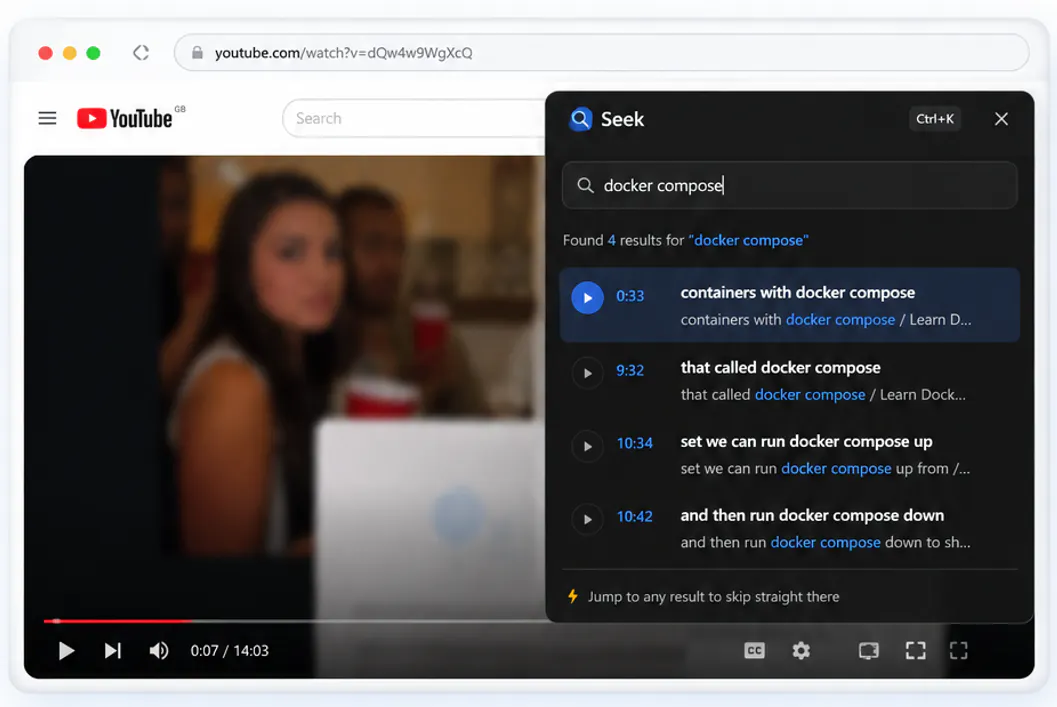
Search what was said. Jump instantly to the exact moment.
什么是 Seek - Ctrl+F for YouTube videos?
Seek is a Chrome extension for YouTube watch pages. Ctrl+K opens a search over the transcript so you can jump to where something was said. Think Ctrl+F for spoken content. YouTube’s native transcript panel works, but it’s slow to scan. If you’re halfway through a forty-minute talk and want the bit where someone mentions “context window”, you’re scrolling a wall of text or scrubbing the timeline and hoping. I kept doing that on tutorial videos and conference talks, and I wanted a faster way in.
截图
?
还没有评论,来抢沙发吧!
X 上关于 Seek - Ctrl+F for YouTube videos 的真实讨论
去 X 发帖