
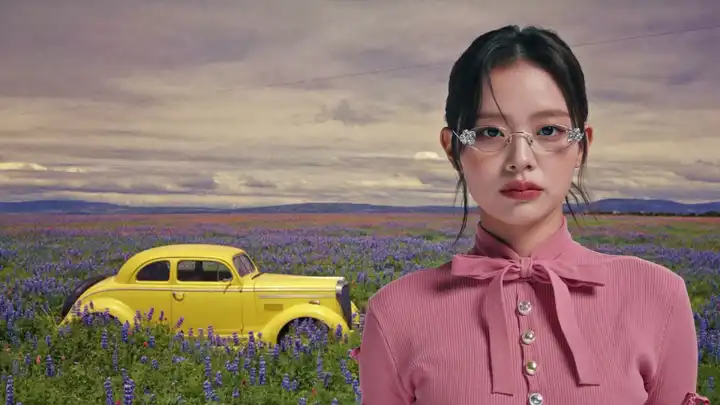
영상 위를 직접 표시해 정확하게 부분 편집
Pause on a frame, circle what needs to change, add a quick note or reference image, and let AI apply the edit smoothly across your video.
설정을 미리 체험해 보세요. 업로드나 생성 클릭 시 워크스페이스로 이동합니다.
사용 방법
Upload your video clip
Load your footage and pick the reference frame to annotate.
Mark regions & describe edit
Circle objects to remove, replace, or restyle right on the canvas.
Render clean edited video
Apply your marked changes cleanly across the clip and export.
핵심 기능
Unambiguous region targeting
Eliminate confusion over which object in a busy scene should change.
Reference image support
Pair your drawn callouts with a product or prop photo for exact swaps.
Fast trim & edit workflow
Trim clip range and edit targeted objects in one streamlined studio.
내 파일로 바로 사용해 볼까요?
Prori 워크스페이스에서 실시간 미리보기, 투명한 크레딧 견적, 생성 기록과 함께 바로 실행할 수 있습니다.
플랜 선택
하나의 계정으로 Prori의 모든 AI 이미지·비디오 도구와 워크플로우를 이용하세요.
Nano
-20%The basics to get started.
연간 일시불 $96
- 핵심 크리에이티브 도구 및 입문용 크레딧 제공
- 최대 1개 소셜 계정 연결
Plus
가장 인기Your everyday Agent for social media and growth.
연간 일시불 $204
- 모든 이미지·비디오 모델 지원 (Nano Banana Pro, GPT Image, Seedream, Veo, Kling, Seedance 등)
- 네이티브 오디오 포함 최대 30초 비디오 생성
- 최대 2개 소셜 계정 연결
- 다중 소셜 플랫폼 운영 및 성장 워크플로우 지원
Pro
-14%More room for your most demanding workflows.
연간 일시불 $504
- 모든 이미지·비디오 모델 지원 (Nano Banana Pro, GPT Image, Seedream, Veo, Kling, Seedance 등)
- 네이티브 오디오 포함 최대 30초 비디오 생성
- 최대 5개 소셜 계정 연결
- 대량 제작 및 팀 워크플로우를 위한 넉넉한 한도
Max
-15%More room for your most demanding workflows.
연간 일시불 $1,008
- 모든 이미지·비디오 모델 지원 (Nano Banana Pro, GPT Image, Seedream, Veo, Kling, Seedance 등)
- 네이티브 오디오 포함 최대 30초 비디오 생성
- 최대 6개 소셜 계정 연결
- 대량 제작 및 팀 워크플로우를 위한 넉넉한 한도
자주 묻는 질문
Do the drawn markings show up in the edited video?
No. Markings only tell the model where to edit and do not appear in the final clip.
Can I trim my clip before editing?
Yes. Built-in trim controls let you select the exact segment to process.
What edits work best with Draw to Edit?
Object removal, prop or product replacement, signage changes, and targeted wardrobe edits.
관련 도구

더 많은 AI 기능 둘러보기
- AI 얼굴 바꾸기
- 캐릭터 교체
- AI 리라이트
- AI 배경 제거
- AI 텍스트 제거
- AI 화질 개선
- AI 이미지 업스케일
- AI 인페인트 & 레이어
- AI 포토덤프
- 캐릭터 프로필
- 시네마틱 카메라
- AI 이미지 캔버스
- 썸네일 스튜디오
- 스토리 아틀라스
- Meme Riff 밈 생성기
- 쇼츠 스튜디오
- 시네마 스튜디오
- 토킹 포트레이트
- 내레이션 스튜디오
- 3D 씬 비디오
- 설명 영상 제작
- 크리에이티브 캔버스
- 믹스드 미디어 영상
- AI 비디오 편집
- AI 비디오 업스케일
- AI 비디오 리프레임
- 링크로 광고 영상
- 비디오 컬러 팔레트
- 드로우 투 비디오
- 만화 마스터
- AI 인플루언서
- 비디오 이펙트
- 콘텐츠 팩토리
- 모션 컨트롤
- RiftCut